Repair, maintenance, consumables, and equipment sourcing.
Factory operations dashboard • repair lab support
Industrial printer support built for production uptime.
D-Macht helps teams route repair, maintenance, parts, consumables, PCB support, and refurbished printer requests through one clear industrial service intake.
Operations snapshot
Built around the support problems production teams actually need solved.
Industrial coding, marking, laser, and thermal transfer systems supported through one intake flow.
Start with model, fault code, photos, video, and line impact.
Service planning focused on reducing repeat equipment issues.
Choose region
Where do you need help?
Pick the closest support route first. This makes the site easier to understand and helps D-Macht route the request to the right contact, service type, and availability.
India / Pune hub
Live supportIndia service support
Best for printer repair, maintenance, spare parts, refurbished printers, ink, fluids, and on-site support in India.
Best route forService, repair, and supply requests
RepairMaintenancePartsInk & fluids
Select India service supportUS / global desk
Planning routeUS / global support
Best for remote help, equipment sourcing, maintenance planning, and global coordination requests.
Best route forConsulting, sourcing, and coordination
Remote helpSourcingPlanningCoordination
Select US / global supportService router
Start with what is happening on the line.
You do not need to know the exact technical failure before contacting D-Macht. Choose the closest issue, send the right details, and the request can be routed toward repair, parts, consumables, maintenance, PCB review, or sourcing.
Industrial routing table
Start requestWhat should I send?
Printer stopped / line down
RouteBreakdown support
Details to send
Model, error code, photos/video, and whether production is stopped.
Next step
Triage repair path, parts need, or on-site service route.
Print is faded, missing, or messy
RoutePrint quality review
Details to send
Print sample photo, ink/fluid details, nozzle status, and recent changes.
Next step
Check fluid, nozzle, sensor, configuration, and maintenance causes.
Need ink, make-up fluid, or filters
RouteConsumables supply
Details to send
Printer brand/model, current product label, quantity, and location.
Next step
Match compatible consumables and plan reorder support.
Board, power, display, or control issue
RoutePCB repair review
Details to send
Board photos, symptoms, visible damage, model, and fault behavior.
Next step
Review repair path before replacing expensive assemblies.
Need a part or replacement module
RouteSpare parts request
Details to send
Part number if known, machine model, photos, and urgency.
Next step
Identify part, confirm fit, and coordinate sourcing.
Need a backup or refurbished printer
RouteEquipment sourcing
Details to send
Current printer type, budget, production use, and required timeline.
Next step
Review refurbished, replacement, or backup equipment options.
Industrial printer repairPreventive maintenance / AMCPCB and board-level repair reviewInk, fluids, filters, and consumablesSpare parts identification and sourcingRefurbished printer and backup unit planning
Repair lab capability
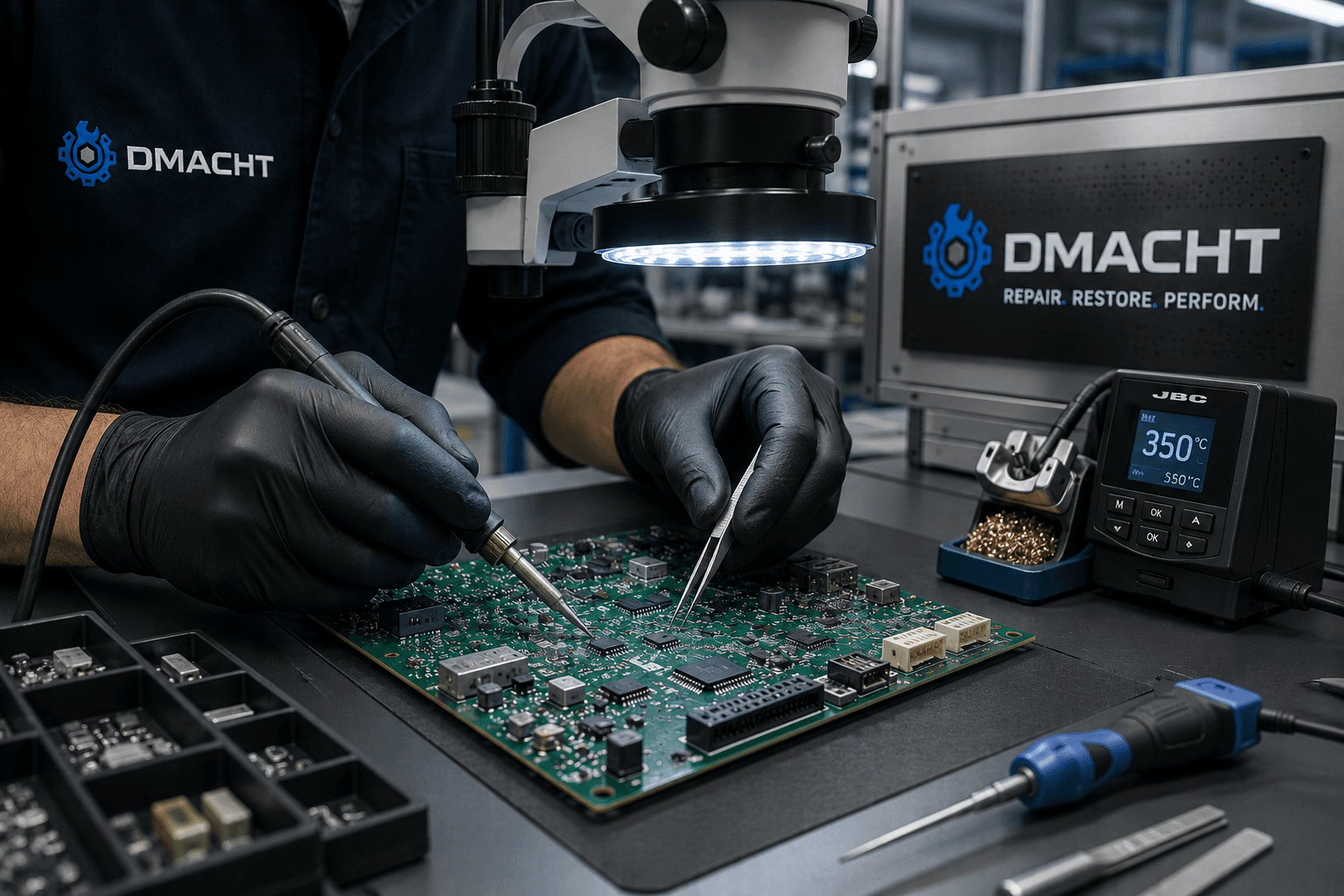
Board-level symptoms need more than guesswork.
For suspected PCB issues, capture the printer model, board details, symptoms, photos, visible damage, and error behavior so the repair path can be reviewed clearly.
Request PCB supportHow support works
A simple path from issue report to uptime plan.
The process is built for operators, maintenance teams, and business owners who need clear next steps without having to diagnose everything themselves.
Tell us the problem
Share the printer model, location, issue, fault code, urgency, and whether production is stopped.
OutcomeA clear service request with enough detail to begin routing.
Check the cause
We review whether the issue is fluid-related, electrical, sensor-based, print-quality related, or service-related.
OutcomeA better idea of whether the request needs repair, parts, consumables, or maintenance.
Route the fix
The request is routed toward repair, maintenance, parts, consumables, remote help, or equipment replacement.
OutcomeThe next step is matched to the real machine problem instead of guesswork.
Prevent repeat issues
After the issue is handled, we support uptime planning through maintenance, spares, and consumables guidance.
OutcomeA cleaner plan for reducing repeat downtime and avoidable service calls.
Quick troubleshooting
Capture the details that speed up the fix.
These checks are not a replacement for service. They help the support request get routed faster to repair, parts, consumables, or maintenance.
Print is faded or inconsistent
Check ink level, make-up fluid level, nozzle cleanliness, and whether the correct ink or fluid is being used.
Helpful to captureSend a close photo of the print sample and the machine display.
Printer shows an error code
Write down the exact code, when it appears, and whether it returns after restart.
Helpful to captureSend the code, printer model, and a photo of the display if possible.
Line is down or stopping often
Note whether the issue seems electrical, fluid-related, sensor-related, or only happens during production.
Helpful to captureMark the request as line down and describe the production impact.
Need parts, ink, or fluids
Gather printer brand, model, current consumable name, and any part number if available.
Helpful to capturePhotos of labels, bottles, filters, boards, or existing parts are helpful.
Service request intake
Submit one clear request. We route it to the right support path.
Requests are sent to the D-Macht support inboxes used for the current site. Include the printer model, fault code, location, urgency, and photos or video if available.
Routing noteUse this for India service support or US/global coordination.
Choose the closest service type. If you are not sure, select “Other / not sure” and describe the issue in plain language.
FAQ
Questions production teams usually ask first.
Clear answers for repair, maintenance, parts, consumables, region availability, and how service requests are routed.
What should I include in a service request?
Include printer brand, model, fault code, location, urgency, photos or video, and what changed before the issue started. The more specific the request is, the faster it can be routed.
Do you support only one printer brand?
No. D-Macht is built around industrial coding and marking workflows, including CIJ, TIJ, and DOD printer environments. Requests can include repair, parts, consumables, refurbished printers, and maintenance planning.
Can you help if production is already stopped?
Yes. Choose line down or production stopped in the request form and include the machine model, exact fault code, and what the printer is doing. That helps the issue get handled with the right urgency.
What is different between India and US/global support?
India support is best for hands-on service, maintenance, repair, parts, inks, fluids, refurbished printers, and local coordination. US/global support is best for remote help, sourcing, planning, and coordination requests.
Can D-Macht help with PCB or chip-level repair?
Yes. If the issue appears board-related, include the printer model, board details, symptoms, photos, and any visible damage or error behavior so the repair path can be reviewed clearly.
Do you offer preventive maintenance or AMC plans?
Yes. Maintenance support can include preventive service planning, inspection checklists, consumables guidance, spares recommendations, and escalation planning.